You stare at a screen all day for work. Your eyes feel tired. Many companies promise their monitors are “easy on the eyes.” Lenovo’s ThinkVision line is marketed for business professionals. But does it live up to the eye-care hype?
Let’s look at the facts. We’ll see what features matter and if ThinkVision monitors have them.
What Makes a Monitor “Eye-Friendly”?
It’s not one thing. It’s a combination of technologies that work together to reduce strain.
The key features are:
- Flicker-Free Technology: This stops the screen from blinking rapidly. That blinking is a major cause of headaches.
- Low Blue Light: This reduces the amount of harmful blue light the screen emits. Too much blue light can disrupt sleep.
- Automatic Brightness Adjustment: The screen changes its brightness to match your room’s light. This stops your eyes from constantly adjusting.
- Matte Screen Finish: A non-glare surface stops reflections from lights and windows.
A monitor needs all of these to be truly comfortable for long periods.
ThinkVision’s Eye-Care Features: What’s in the Box?
Lenovo does include important features in many ThinkVision models.
Most ThinkVision monitors are Flicker-Free. This is a big plus. They also use Low Blue Light technology. You can usually choose from different settings to reduce blue light emissions.
Some higher-end models have ambient light sensors. These sensors automatically adjust the screen’s brightness. This is a helpful feature if your office lighting changes during the day.
Many also have a matte anti-glare coating. This is standard for office monitors and it works well.
How ThinkVision Compares to Other Brands
ThinkVision is solid, but it’s not unique. Many other brands offer the same core eye-care features.
Dell’s Ultrasharp series and HP’s EliteDisplay line have similar specs. They are all Flicker-Free and have Low Blue Light modes.
One thing to consider: a dedicated 144hz monitor from gaming brands often includes these eye-care features too. So, you don’t have to choose between performance and comfort.
The Limitations of ThinkVision Monitors
ThinkVision monitors are designed for office work. This means they often prioritize cost and reliability.
They sometimes lack advanced comfort features found on other monitors. For example, you might not find a high refresh rate, which makes scrolling smoother. Or they might not have the best color accuracy for design work.
They are good, but not always the best.
Are They a Good Choice for You?
ThinkVision monitors are a safe choice for an office. They have the basic protections you need.
If you work long hours and already have eye strain, they will probably help. The Flicker-Free and Low Blue Light features are legitimate.
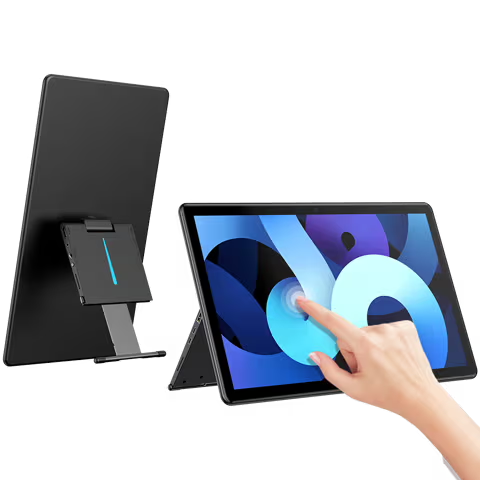
But if you want the absolute best in comfort, you might look at monitors with more advanced features. For instance, a high-quality portable touchscreen monitor with automatic brightness could be better for changing environments.
A Quick Tip for Any Monitor
No monitor can fix bad habits. Remember the 20-20-20 rule. Every 20 minutes, look at something 20 feet away for 20 seconds. This is one of the best things you can do for your eyes.
Also, make sure your monitor is at the right height. The top of the screen should be at or just below your eye level.
Frequently Asked Questions
Q: Do all ThinkVision monitors have eye-care features?
Most do, but you should always check the specific model’s specifications. Look for “Flicker-Free” and “Low Blue Light” in the product listing to be sure.
Q: Is the automatic brightness adjustment good?
On models that have it, it works well. It smoothly adjusts the screen so you don’t have to constantly change settings manually throughout the day.
Q: Can I use a ThinkVision monitor for gaming?
You can, but it’s not ideal. Most ThinkVision models have a standard 60Hz refresh rate. For smoother gameplay, a monitor with a higher refresh rate (like 120Hz or 144Hz) is better.
Q: Are they good for photo or video editing?
Some higher-end ThinkVision models have good color accuracy. But professionals often prefer monitors specifically designed for creative work with wider color gamuts.
Q: How long do these monitors last?
ThinkVision monitors are built for business use and are generally reliable. They often come with a good warranty, which is a sign of their expected lifespan.
The Bottom Line
Lenovo’s ThinkVision monitors are genuinely eye-friendly. They include the essential technologies: Flicker-Free and Low Blue Light.
They are a dependable, no-surprise choice for a corporate office. They will reduce strain compared to an old, basic monitor.
However, they are not the most advanced. For the best possible comfort, especially if you have sensitive eyes, you might want to compare models with additional features like higher refresh rates or better automatic adjustments.
Your eyes are important. A good monitor is a smart investment. ThinkVision is a solid option in that category.